
Toca Boca World review
 Analysis by GetAllApps
I found that Toca Boca World is easiest to enjoy when I treat it less like a game with a goal and more like a digital play space. I can move between places, arrange scenes, and make up stories at my own pace. That open-ended approach is the game’s main strength, but it also means it asks players to supply their own ideas. For children who like pretend play, that freedom can be absorbing; for someone expecting levels, instructions, or a clear finish line, it may feel aimless.
Finding your way around a world built for play
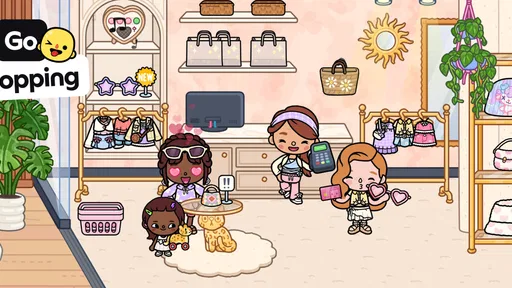
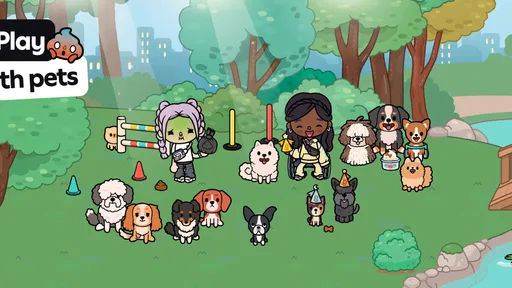
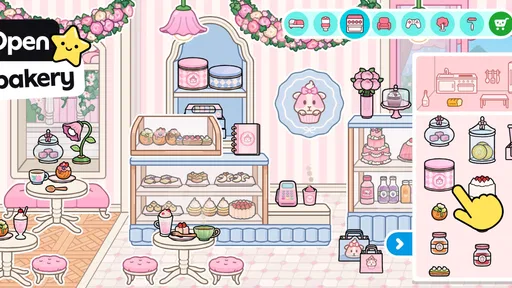
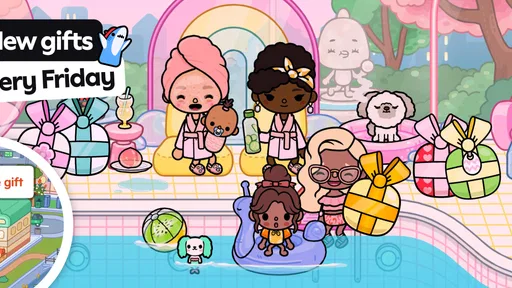
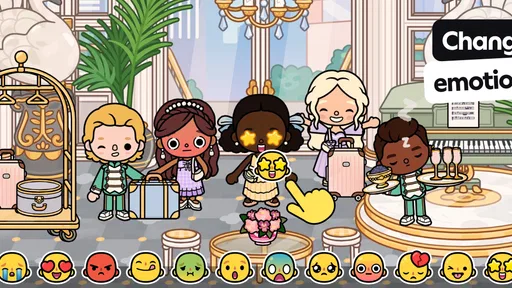
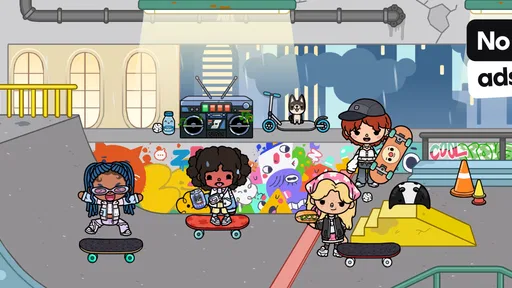
The screen is organized around places and characters rather than menus full of rules. I can explore a setting, pick up objects, and move them into a scene, then decide what happens next. That makes the basic interaction feel approachable: the player does not need to learn a complicated scoring system before starting. The visual presentation also carries much of the meaning, which can help younger players who are not ready to read lengthy instructions.
That simplicity has a trade-off. With no single prescribed route through the experience, a new player may not immediately know what to do or where to go. I would introduce it by demonstrating a small action—moving a character into a room, for instance—and then let the child take over. A short invitation such as “What could happen here?” gives the play space a starting point without turning it into a lesson with a correct answer.
The strongest accessibility choice is the freedom to set the pace. There is no need to keep up with a timer or complete a sequence before exploring another idea. A player can pause their story, return to a familiar scene, or change direction when interest shifts. This can suit children who enjoy repetition and those who want to build a story gradually, though it is not a substitute for clear guidance when a child needs explicit step-by-step directions.
Created by Toca Boca, this educational game has a 4.4 average from around 6.9 million ratings and has been installed over 100 million times. Those figures suggest a broad audience, but they do not tell me whether it will suit a particular child. The more useful question is whether its kind of play—choosing, arranging, and imagining—matches what that player already enjoys.
Stories, not lessons with a fixed answer
Although it sits in the educational category, I would not approach it as a structured teaching tool. Its value is closer to imaginative practice: players can invent situations, assign roles, and decide how characters relate to one another. That can encourage storytelling and experimentation, but it does not work like a workbook that teaches a specific skill through a planned sequence. If your priority is guided reading or numeracy practice, a focused learning app may be a better fit.
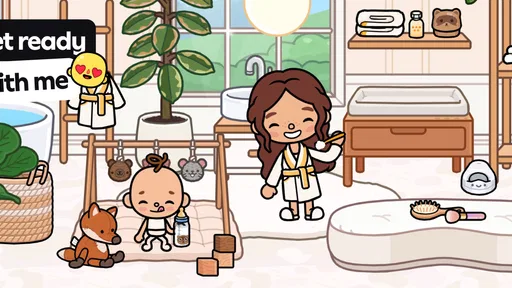
One useful way to make the open format more manageable is to set a tiny story prompt before play. “Get ready to leave the house” or “plan a surprise for a friend” gives the child a purpose while leaving the details open. I like this approach because it avoids the common problem of an empty creative canvas: too many choices can be just as frustrating as too few. The prompt can be dropped as soon as the player has found their own direction.
Touch interaction and sensory comfort
The game depends on interacting directly with what appears on screen, so comfort with touch input matters. Players who can tap and move items independently may find the hands-on style intuitive. A child with limited dexterity, tremor, or difficulty making precise movements may need an adult nearby to help with the physical interaction. I would test it together rather than assume that a simple-looking interface is easy for every set of hands.
There is also a useful distinction between a calm pace and a calm sensory experience. The open-ended play does not impose a race, but the screen still contains colorful scenes and many visual choices. A child who is sensitive to busy displays may prefer short sessions in a familiar setting, with an adult helping them focus on one part of the scene at a time. That is a practical way to reduce visual overload without taking over the story.
For a shared session, I would let the child make the choices and offer help only when asked or when they become stuck. An adult can move an item, describe what is on screen, or suggest two possible next steps, then hand control back. This makes the game usable as a cooperative activity without turning every choice into an adult-directed task. It is especially helpful when a player enjoys the story ideas but finds the touch actions tiring.
When and where it fits into everyday life
A realistic use is a quiet stretch at home when a child wants to play but is not looking for a competitive challenge. I might suggest building one short scene before dinner, then invite the child to tell me what is happening in it. That creates a natural stopping point: the story can be left unfinished rather than forcing a final objective. It can also give siblings or a parent and child something concrete to talk about, even if only one person is holding the device.
For travel or waiting rooms, the appeal is that a player can dip in and out of imaginative play instead of having to remember a long chain of instructions. I would still plan around the device itself: if a child needs help navigating or holding it, the game is less independent in a crowded or hands-full situation. At home, where an adult can sit nearby and the device can be positioned comfortably, that friction is easier to handle.
The game is free to download, and its age rating is Everyone. It does include in-app purchases, with items ranging from $0.49 to $199.99, so I would check the purchase settings on the device before handing it to a child. A free starting point does not mean every available item is included at no cost. If a child becomes attached to a particular place or object, it is worth discussing purchases beforehand rather than discovering that expectation during play.
How it compares with more guided alternatives
Compared with educational games built around quizzes, levels, and visible progress, Toca Boca World gives up structure in exchange for control over the story. That is an advantage for children who want to direct play and revisit ideas without being judged on an answer. It is a disadvantage for players who need a clear objective, frequent feedback, or a sense that they are advancing through a curriculum. In that situation, a guided learning game is likely to be more satisfying.
Compared with a traditional toy or an open drawing app, this experience offers a ready-made digital setting to play inside. That can make it easier to begin a pretend scenario than starting with a blank page, while still leaving room for personal ideas. The trade-off is that the play remains on a screen and depends on touch interaction. If a child prefers physical props, movement, or building with their hands, an offline activity may be a better match for that moment.
Practical friction and who may want to skip it
The biggest limitation I noticed in this style of game is also its defining feature: freedom can turn into indecision. Some players will happily invent a plot; others may tap around without finding a satisfying first step. A parent can help by offering a simple scenario or choosing a familiar place, but if a child repeatedly asks what they are supposed to do, a more directed game may provide a better experience.
It is also not my first recommendation for a family seeking a traditional educational program, a multiplayer competition, or a short task with a definite completion signal. Its open play is better for making up stories than for checking mastery of a school topic. And because touch is central, a child who cannot comfortably manage the screen may need adaptations or hands-on support that the game itself does not remove.
The current version is 1.141, and it requires Android 7.0 or later on Android devices. If you are choosing it for a particular device, I would check compatibility in the relevant app store before planning a session. The release date was November 21, 2018, but what matters more for a new player is whether the available device feels comfortable to hold and whether the child can see and manipulate the scenes without strain.
An inclusive choice when play can stay flexible
I would recommend Toca Boca World to children who enjoy pretend play, like making their own decisions, and do not need every activity to have a score. It can also work well with an adult or sibling who is willing to join in gently, especially when a small prompt helps a player get started. Its flexible pace and visual, hands-on style make it easier to shape a session around a child’s interests than a tightly sequenced lesson.
I would be more cautious if the player needs strong verbal instructions, precise touch control is difficult, or a busy visual scene is uncomfortable. In those cases, try a brief shared session and notice whether the child can find a comfortable way to participate; choose a more structured or non-screen option if that proves frustrating. The game’s Everyone rating is reassuring as a broad age classification, but an individual child’s sensory and motor needs still deserve attention.
For me, the best way to use it is as a creative invitation, not as a promise of automatic learning or independent engagement. I would set a manageable prompt, make sure purchases are controlled, and let the child decide how the story unfolds. When a player has room to explore but also a gentle starting point, this digital play world can feel genuinely welcoming. It will not suit every ability or every situation, yet its lack of a forced pace gives families useful room to adapt the experience together.
Pros and cons
Pros
- Frequent updates can add fresh locations and activities.
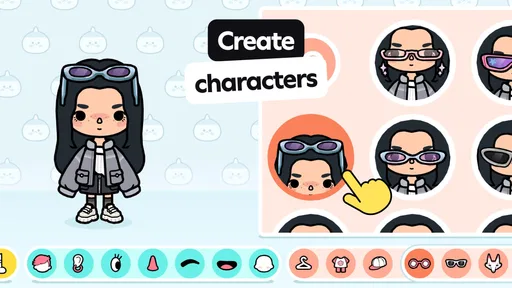
- Character customization offers plenty of creative options.
- Kids can explore at their own pace without timed challenges.
- The open-ended play encourages storytelling and imagination.
- A single app brings many familiar Toca Boca locations together.
Cons
- Many locations and items require additional purchases.
- The large download can take up considerable device storage.
- Some areas may feel repetitive after extended play.
- Progress and creations may not transfer easily between devices.
- The game offers limited guidance for players who prefer clear goals.


